
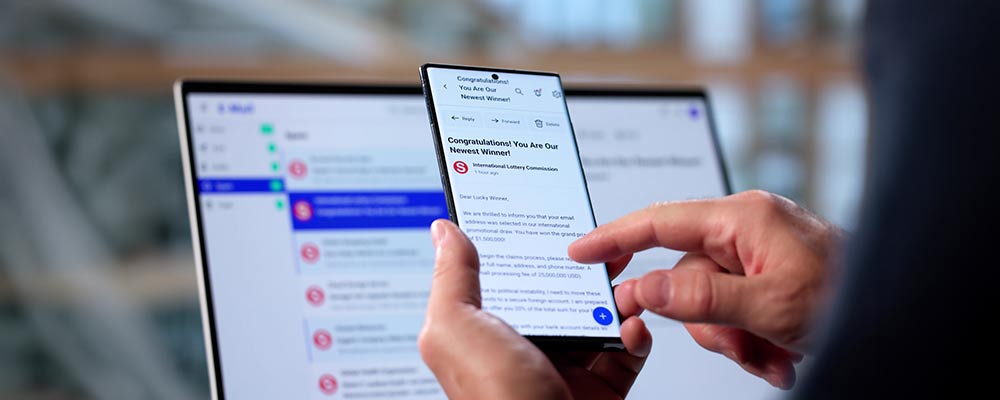
Scams are getting more prevalent and more sophisticated. With easily accessible AI tools, tip offs like spelling mistakes and bad grammar aren’t present anymore. The bottom line, as some experts put it, is a “zero-trust” mindset. One of the difficulties in identifying scams is that many are part of a longer con. Today, we’ll look at a few scams that use email, text, or other messaging apps.
How it Starts
You’ve leaving in a few days for your trip to Brazil. You get a message on WhatsApp saying you need to click on the provided link to confirm your hotel reservation for June 9th to 16th.
How They Trick You
They know details about your trip, so the message seems legit and you don’t want to end up without a hotel. You also know that WhatsApp is often used in other countries, that’s why you have it on your phone, so…? Do not click on that link. Your reservation and contact information was stolen in the Booking.com data breach. Just clicking the link could download malware to your phone, allowing access to all of your other apps, including banking. It could also send you to a fake “check-in” site to trick you into providing credit card details or other personal information for use in the next part of the scam. Your best defence is never clicking links in an email or message of this sort. Instead, look up the number of the hotel or business yourself and call them directly.
How it Starts
You get an email from the Canada Revenue Agency, complete with their logo and your social insurance number. It says you’re getting a refund, but you need to go to their website to confirm your direct deposit details.
How They Trick You
Of course, you want your refund, and ASAP. The email may even show your banking info, but it’s wrong, but the social insurance number is yours, so you definitely want to sort that out and get your money. When you click the link, you go to a page with the same logo and a brief form. You consider that this might be a scam, but you know they can’t get into your account without your password, plus, you have multi-factor authentication, so there’s really no risk, except that if you don’t fill out the form you might not get your refund. But your banking password is the same one you used at Booking.com, and if you clicked the link in WhatsApp, the scammer can see the code that pops up for multi-factor authentication.
A few more to watch out for:
- The CRA says you owe money and have to pay immediately via wire transfer, or face arrest. The CRA will never make threats like this.
- AMAZ0N needs you to confirm your order. That’s a zero in the name. Not real.
- Your cell provider says you’re eligible for a new phone. Just click. Don’t believe it. Call the cell provider at a number you look up yourself.
- Your package can’t be delivered without additional details. Nope. If you’re waiting for something, check with the seller directly.
- You have been included in a class action lawsuit and are eligible to receive a payout. Please provide your banking info for direct deposit. Maybe, maybe not. Google the name of class action and call or email the legal firm involved.
How to Protect Yourself
- If the sender isn’t a person or business you’re familiar with, ignore it. If it seems like it could be legit, verify.
- Block and report all obvious message scams. Do not reply “STOP” or press a number.
- Don’t open attachments that you aren’t expecting, and don’t follow links received in an email or message. Find the site yourself.
- Don’t reuse passwords.
Report any scam attempts to the Canadian Anti-Fraud Centre.
If you think you’ve been scammed, check this page for what to do.