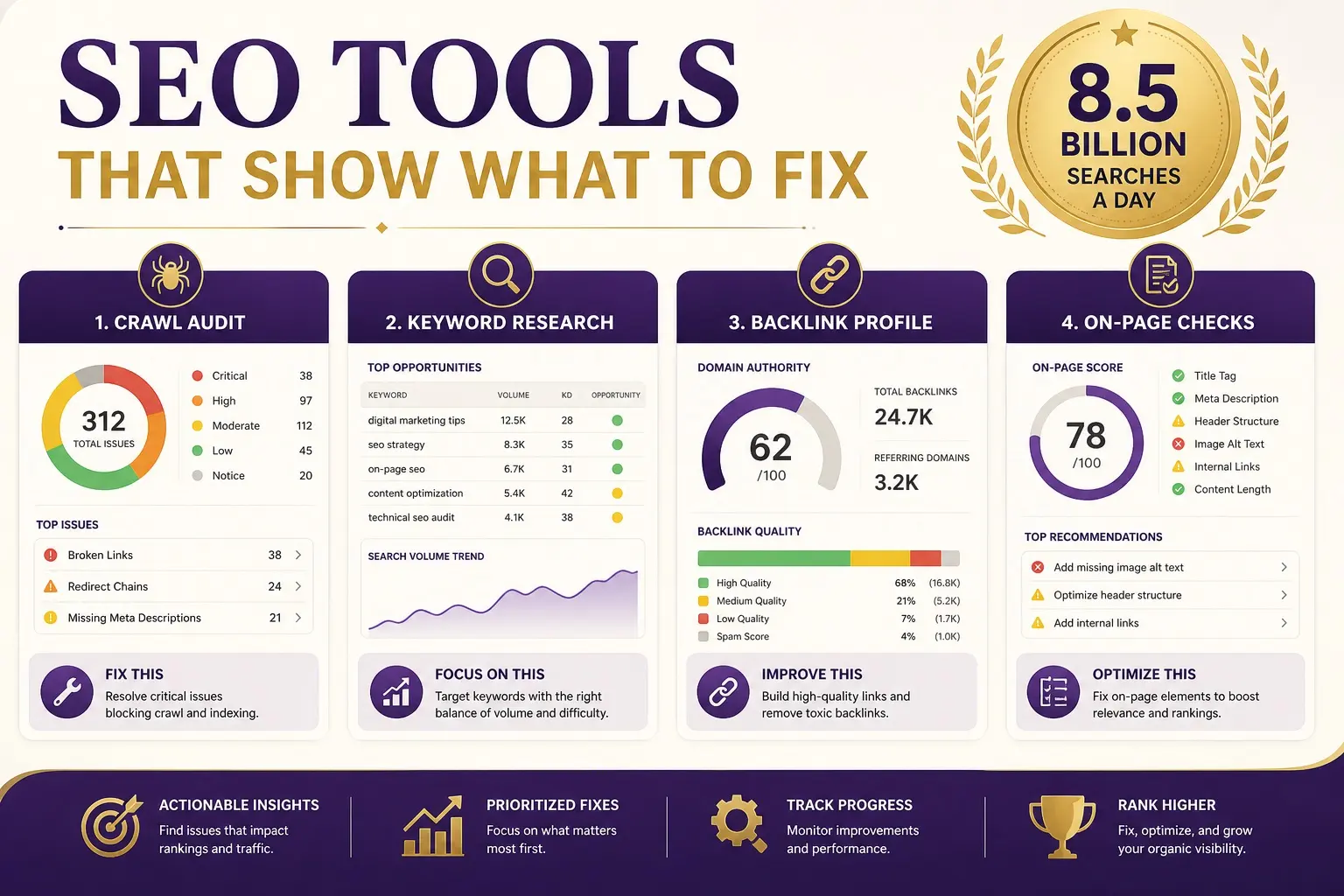
Search engine optimization tools do not rank a website. People do. The software shows you what Google is already rewarding: which pages win a query, who links to them, where your own site is broken, and whether anyone who lands actually stays. Used well, that data shortens the guesswork. Used as a substitute for strategy, it produces pretty reports and no calls.
SEO still splits into two jobs. On-page SEO tells Google what a page is about. Off-page SEO is other websites telling Google that page is worth trusting. A third layer, technical SEO, decides whether Google can crawl, index, and load the site at all. The tools below map onto those jobs. None of them replace the work described in basic SEO or a live search engine optimization program.
If someone nearby needs a dentist, a roof repair, or a new furnace and they do not already know a company, they start on Google. That is why tools matter: they help you see the same landscape those buyers see, then reverse-engineer the sites that already occupy the spots you want.
What to look for in search engine optimization tools
A useful stack answers four questions.
- What do buyers type, and which of those phrases can this business actually win?
- Which pages rank today, and what on-page and off-page patterns do they share?
- What is broken, missing, or slow on our own site?
- Did the work move rankings, traffic, and leads, not just a dashboard score?
Free tools from Google cover a surprising amount of that. Paid suites (Ahrefs, Semrush, and similar) add competitor backlink indexes and keyword databases you cannot get from Search Console alone. A crawler such as Screaming Frog sits in the middle: it reads your site the way a bot would. CMS helpers such as Yoast only write the on-page fields you already decided.
Pick tools for the job, not the logo. A one-location trades business does not need an enterprise crawl of 200,000 URLs. An ecommerce catalogue does. If a vendor will not show you the raw data behind a “score,” skip it.
On-page vs off-page: which tools do which job
On-page tools inspect titles, meta descriptions, headings, internal links, anchor text, duplicate content, and status codes. Screaming Frog, Google Search Console, and a CMS SEO plugin live here.
Off-page tools inspect referring domains, link quality, anchor mix, and competitor gap lists. Ahrefs and Semrush live here. Google Search Console also shows the links Google has found to you, which is useful and incomplete.
Keyword and SERP tools sit across both: they show search volume, intent, and which features appear on the search engine results page (ads, map pack, AI overviews, shopping). That tells you whether a phrase is worth a page, a Google Business Profile push, or a paid ad instead.
1. Ahrefs
Ahrefs is a favourite among SEO consultants for its interface and the size of its backlink index. It is strong at link-building research: competitor backlink profiles, referring-domain counts, and prospects in a similar niche. Site Explorer, Keywords Explorer, and Site Audit cover the rest of a typical campaign.
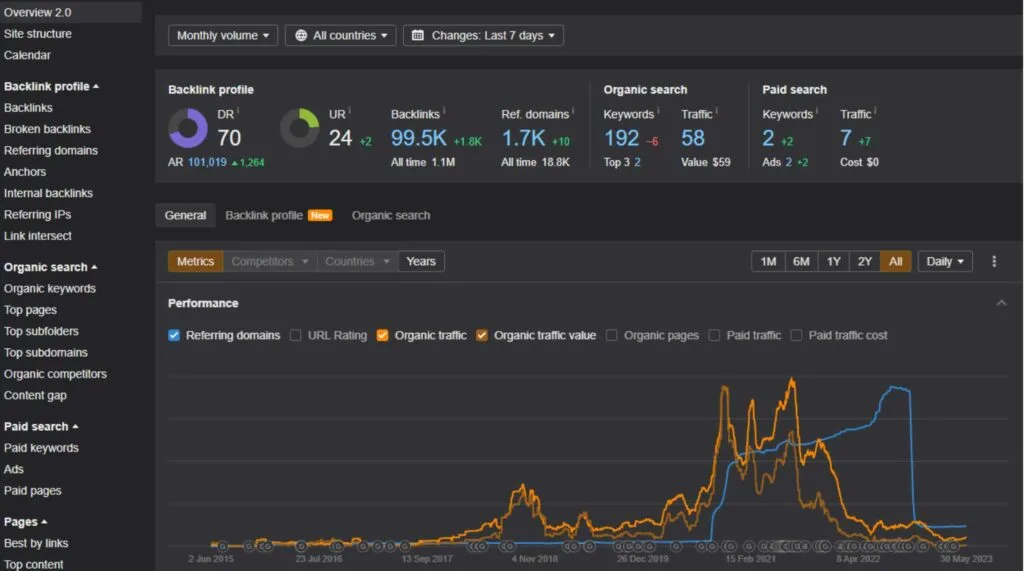
The Chrome toolbar is handy in the field: search a phrase on Google, then see referring-domain counts on the pages that already rank. That is a fast way to estimate how hard a query will be before you write a word.
Ahrefs is not a ranking switch. It estimates traffic and keyword difficulty from its own click model. Treat those numbers as relative (this page looks stronger than that one), not as a promise of leads. For a Fraser Valley service business, we still check the live SERP and Search Console before we commit to a keyword.
2. Semrush
Semrush covers the same ground as Ahrefs with a different layout: competitor organic research, keyword databases, site audit, and backlink analytics. Preference is mostly interface. Some people like how Semrush charts estimated organic traffic and position changes. Others live in Ahrefs for link work and bounce to Semrush for paid-search overlap.
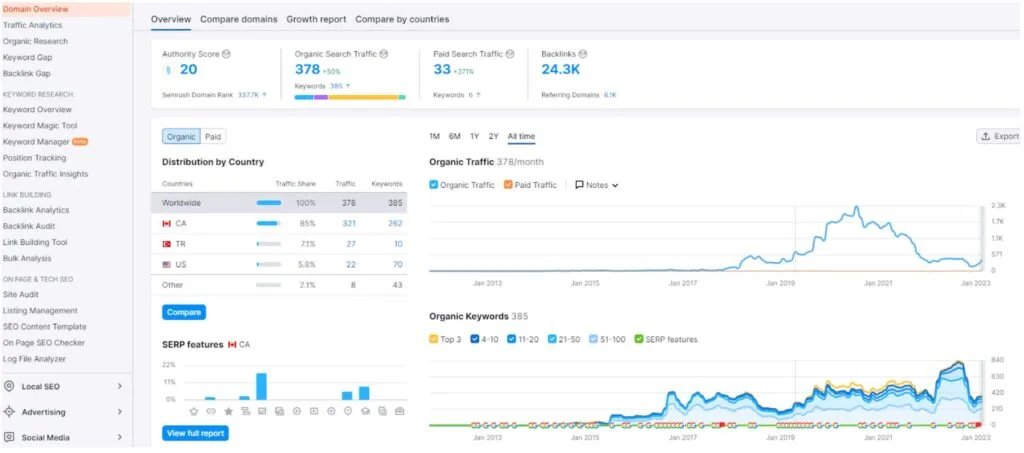
Where Semrush is useful next to Ahrefs is the overlap: paid and organic on one competitor. If a local query is already stacked with ads and a map pack, a “high volume” keyword may still be a poor SEO target. That is a strategy call, not a software call. See search engine marketing (SEM) for how paid and organic share the same results page.
3. Screaming Frog
Screaming Frog crawls your website and lists what a bot can see: status codes, titles, meta descriptions, H1s, canonicals, hreflang, internal links, and redirect chains. We use it to find missing titles, thin pages, broken links, and internal-link gaps. UMAC (URL, metadata, anchor text, content) is much easier to audit from a crawl than from clicking around.
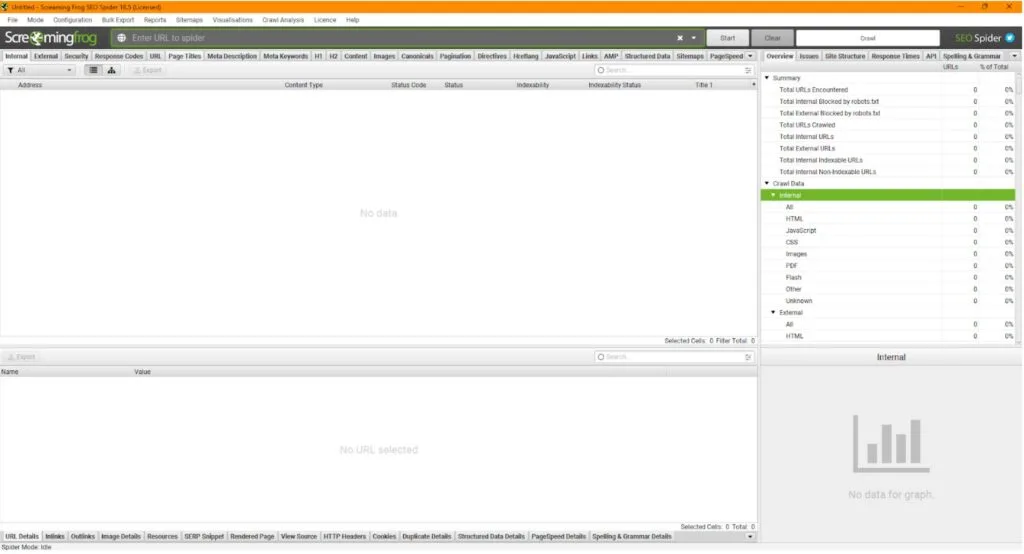
It also generates XML sitemaps and flags duplicate titles. On a small brochure site the free crawl limit is often enough. On a large catalogue you need the paid version and a clear “do not crawl” list so you are not wasting time on faceted junk. Pair it with crawl budget work so Google is not spending attention on URLs you do not want indexed.
4. Yoast SEO (and other CMS helpers)
Yoast is a WordPress plugin that makes it easier to implement on-page fields: title, meta description, canonical, robots. After you have looked at competitors and decided what a page should say, a helper like this is how you type it in without hunting through theme files.
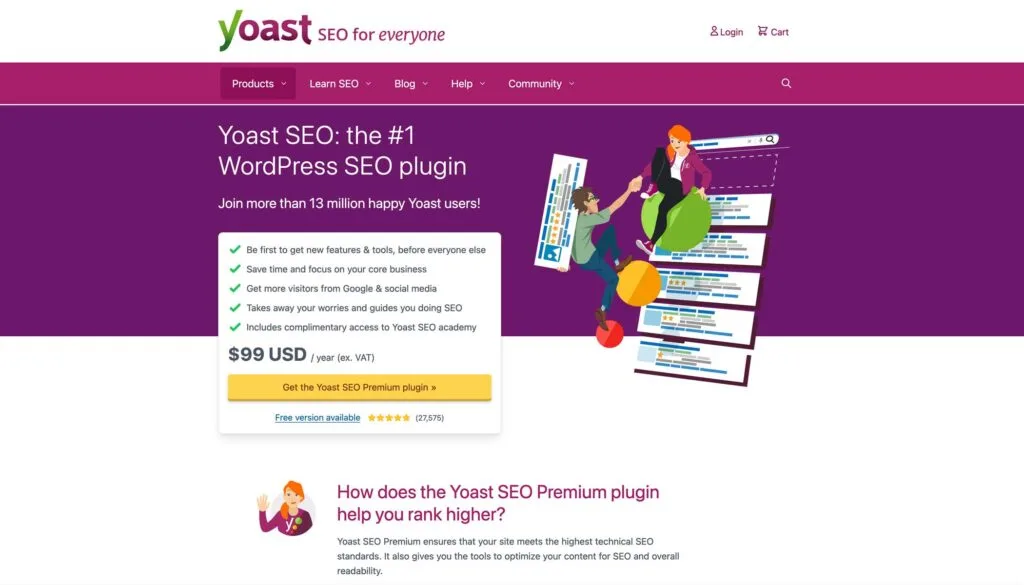
Green lights are not rankings. Yoast cannot see your market, your competitors, or whether the page answers the search. This Easy CMS site does not use Yoast at all. The principle still holds: the CMS should make titles and descriptions easy to edit. The strategy still has to come from research.
5. Google Search Console
Search Console is the only tool that shows you Google’s view of your site: queries, pages, impressions, clicks, index coverage, and the links Google has found. If a page is “Excluded” or “Crawled, currently not indexed,” no amount of Ahrefs data will save it until that is fixed.
Use it weekly. Compare the queries that already get impressions with the pages you meant to rank. Striking-distance queries (page two, some clicks) are often cheaper to win than brand-new terms. Search Console is also where you submit sitemaps and inspect a URL after a redesign.
6. Google Analytics 4
GA4 tells you what people did after the click: landing page, engagement, and whether a session became a call or a form. Universal Analytics is gone. If a report still talks about “bounce rate” as the main story, update the view. In GA4, engagement rate and key events (calls, forms, bookings) are the numbers that matter for SEO.
Pair GA4 with Search Console. Search Console is “how you appeared.” GA4 is “what they did.” User engagement metrics explain how to read those signals without treating them as a secret ranking lever.
7. PageSpeed Insights and Core Web Vitals
PageSpeed Insights (and the CrUX data behind Search Console’s Core Web Vitals report) show whether the page is slow on a real phone. Speed will not outrank a more relevant competitor on a crowded local query, but a slow landing page will leak the traffic you already earned. Fix Largest Contentful Paint and layout shift on the money pages first, not on the whole archive.
8. Google Keyword Planner
Keyword Planner lives in Google Ads. It is free if you have an ads account, and it is still useful for SEO. It shows how Google groups related phrases and whether a term is commercial enough that advertisers bid on it. Volume ranges are coarse. Treat them as a check against a paid suite, not as a forecast of traffic you will earn.
Use it after you have a list of services and cities, not as a fishing trip. A high-volume national phrase that nobody in Abbotsford can serve is not a keyword. Pair it with the live SERP: if the results are ads and a map pack, Keyword Planner is telling you the query is commercial, not that a blog post will win it.
9. Bing Webmaster Tools
Google is the main engine in Canada. Bing still sends some traffic, and its webmaster tools show crawl errors, inbound links, and keyword data you will not see in Search Console. If you already have a sitemap, submit it there too. It is a free second opinion, not a second campaign.
10. Rich Results Test and schema
Schema is structured data on the page: LocalBusiness, FAQ, Service, Article. The Rich Results Test (and Search Console’s enhancements reports) tell you whether Google can read it. Schema does not create rankings by itself. It helps Google understand the entity behind the page, which is the same idea as SEO entities.
Mark up what is true. Fake review stars and fake FAQs are a fast way to lose rich results. If the business has a real address, phone, and hours, LocalBusiness markup should match the Google Business Profile, not a different city you wish you served.
11. Google Business Profile insights
For local businesses, the profile is a ranking surface, not a listing you set and forget. Insights show searches, views, calls, direction requests, and website clicks from the profile. That is often where the first call happens, even when the organic listing sits below the map. Pair it with off-page SEO only after the profile is complete: categories, services, photos, and a review habit.
Free vs paid: a practical stack
A one-location trades or clinic site can run for months on Search Console, GA4, PageSpeed Insights, Keyword Planner, Business Profile insights, and a limited Screaming Frog crawl. Add Ahrefs or Semrush when you need competitor backlinks, a larger keyword database, or a content gap you cannot see from your own queries. Rank tracking inside those suites is a convenience. Search Console remains the source of truth for impressions and clicks on your actual pages.
Log-file analysis and enterprise crawlers matter on large catalogues. They are overkill for a 20-page service site. Match the tool to the site, then spend the hours on pages and links, not on dashboards.
Mistakes that make search engine optimization tools useless
- Chasing estimated traffic for phrases the business cannot serve.
- Treating a site-audit score as a ranking factor. Fix the URLs that make money first.
- Building links from a prospect list without checking the live SERP and the page you would point to.
- Reporting positions from a rank tracker in a different city or on desktop only.
- Ignoring Search Console coverage: if the page is not indexed, the other tools are describing a ghost.
How we actually use this stack
A typical month does not start in a paid suite. It starts with Search Console (what moved), GA4 (what converted), and the live SERP (what Google is showing now, including the map and any AI overview). Ahrefs or Semrush then fills competitor gaps: new links they earned, keywords they added, pages we still lack. Screaming Frog catches on-page drift after a site edit. The CMS takes the title and copy changes.
That order matters. Tools that estimate traffic will happily send you after a national phrase you cannot win from Abbotsford. The SERP and Search Console keep the work honest.
How to choose search engine optimization tools without wasting money
- Start free: Search Console, GA4, PageSpeed Insights, and a limited Screaming Frog crawl.
- Add one paid suite when you need competitor backlinks or a larger keyword database. You rarely need two.
- Do not buy a “rank tracker” that only screenshots page one. You need query, URL, and dates you can export.
- Ignore any tool that promises first page in 30 days. Software cannot promise that.
- If you hire an agency, ask which tools they use and whether you get login access to Search Console and GA4. If they will not share Google’s own data, walk. How to choose an SEO company covers the rest of that conversation.
Tools are only as good as the people who use them
The world of SEO keeps moving: new SERP features, quality rater updates, and AI answers sitting above the ten blue links. The job is still the same. Match the page to the search, make the site easy to crawl, earn mentions from real sites, and measure leads.
If you want a second opinion on what the data is saying, request a free growth review. We will tell you which tools you actually need, and which reports you can ignore.
Related reading: SEO Education, ranking factors, and on-page SEO.